A general, non-marketing explanation of the technical differences between Wi-Fi 6, Wi-Fi 6E and Wi-Fi 7, and practical considerations for choosing between them.
Every new Wi-Fi standard addresses specific problems that emerge as the number of connected devices and the volume of data in homes and offices keeps growing. Wi-Fi 6 (and its extension, Wi-Fi 6E) introduced efficiency improvements for networks with many devices active at once. Wi-Fi 7 is the newest standard, continuing that direction by adding new capabilities for wider bandwidth and lower latency. Here we look, in general terms at the standard level, at what's technically changed, without fabricating specific performance figures – real-world performance always depends on the specific equipment, environment and device support.
Wi-Fi 6 introduced several significant changes compared with earlier standards – more efficient use of the spectrum, which lets a single access point better serve many simultaneously connected devices (such as smart home sensors, phones, laptops), along with improvements in power consumption for battery-powered devices. Wi-Fi 6E is an extension of Wi-Fi 6 that adds access to the 6 GHz frequency band in addition to the already familiar 2.4 GHz and 5 GHz bands. The 6 GHz band is less congested with other networks, since it's only supported by newer devices – in practice, that means less interference from neighboring networks in densely populated areas.
At the standard level, Wi-Fi 7 introduces several new capabilities:
These changes are theoretical standard-level capabilities – real-world day-to-day performance depends on the specific equipment, internet connection speed and environmental interference, so it wouldn't be accurate to promise specific speed figures without a real on-site assessment.
| Aspect | Wi-Fi 6 / 6E | Wi-Fi 7 |
|---|---|---|
| Frequency bands | 2.4 GHz, 5 GHz (6E also 6 GHz) | 2.4 GHz, 5 GHz, 6 GHz |
| Multi-device handling | Improved compared with older standards | Further improved with MLO |
| Channel width | Standard widths | Supports wider channels |
| Device ecosystem support | Widespread | Still growing, more limited |
| Price / equipment availability | Lower, wide range of choice | Higher, newer market segment |
Wi-Fi 7 becomes practically significant in situations with very high data throughput or many simultaneously active devices – for example, if you're planning a new network build-out with the next several years in mind, if many high-demand devices operate in the same space at once (video production, large data transfers, demanding smart home systems), or if the lowest and most stable possible latency matters. When building a new building or an entirely new network infrastructure, choosing Wi-Fi 7-capable equipment can be a sensible investment in future-proofing, since the equipment replacement cycle for networks is typically several years.
For a large share of users, Wi-Fi 6 or Wi-Fi 6E remains a practical, well-balanced solution. Device ecosystem support for the Wi-Fi 7 standard is still expanding – not every phone, laptop and IoT device supports it, which means part of the real benefit would go unused until your devices are upgraded. Wi-Fi 6/6E equipment is also generally cheaper and more widely available. If your current network is running stably and you don't plan to run very demanding applications in the near future, moving to Wi-Fi 7 isn't urgent.
Wi-Fi standards are backward compatible – a Wi-Fi 7 access point will also work with older Wi-Fi 5 or Wi-Fi 6 devices, but those devices will only use the capabilities available to their own standard. You'll get the full benefit of Wi-Fi 7 only if both the access point and the device itself (phone, computer, smart device) support the standard. When planning a new purchase, it's worth assessing how many of your existing and soon-to-be-planned devices will actually support the newest standard.
Wi-Fi 7 equipment has only relatively recently entered the wider market, so its price segment is generally higher than for the already mature and widely available Wi-Fi 6/6E equipment. Over time, as the standard becomes more widespread, the price gap typically narrows – that has been the pattern with every previous generation of Wi-Fi standard. When choosing between the two standards today, it's worth weighing whether the newest standard's advantages justify the higher purchase cost for your specific situation, or whether it makes more sense to choose a proven, cost-effective Wi-Fi 6/6E solution and defer the standard switch to your next equipment replacement cycle.
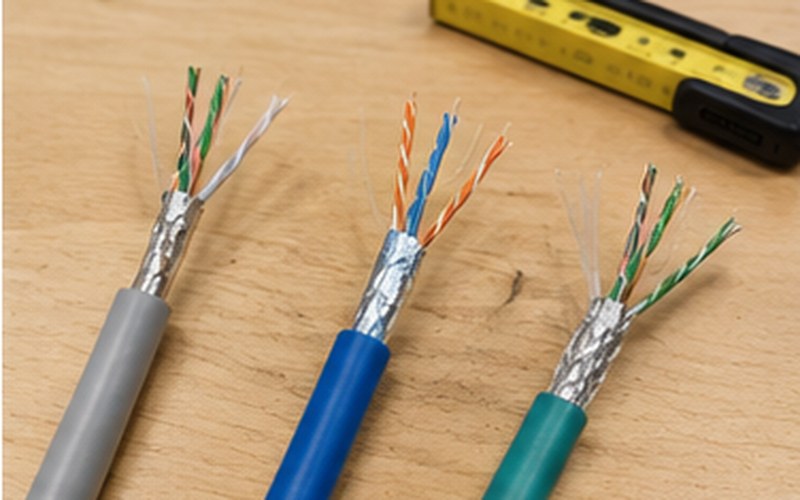
Whether you choose Wi-Fi 6, 6E or 7 equipment, you can only take full advantage of the standard's benefits if the rest of your network infrastructure supports it too. An access point needs a sufficiently fast Ethernet connection (for example, 2.5 Gbps or higher for high-performance access points) so that the wireless connection's potentially high speed isn't bottlenecked by a slower wired connection. Likewise, the internet connection speed from your service provider determines how much of the local network's performance will actually be noticeable when accessing the internet, as opposed to just the local network. That's why, when planning a move to a newer Wi-Fi standard, it's worth evaluating your switches and cabling system at the same time.
Wi-Fi 7 brings standard-level improvements in wider channels, simultaneous multi-band use and latency, but the practical benefit depends on device support and your specific use case. Wi-Fi 6/6E remains a stable, widely available and cost-effective solution for most homes and offices, while Wi-Fi 7 is worth considering for new installations built with the future in mind, or for very demanding use cases. It's worth making this choice in the context of your entire network infrastructure, not in isolation from the rest of your equipment.
We assess your use case and devices to recommend the most suitable Wi-Fi solution for a new network.
This resource is part of our Wi-Fi network installation service.
Wi-Fi Network Installation →Fill in the form – we'll get in touch to discuss your needs.
Request a free consultation – we'll get in touch to discuss your needs.
We'll contact you within 5 minutes of submitting the form