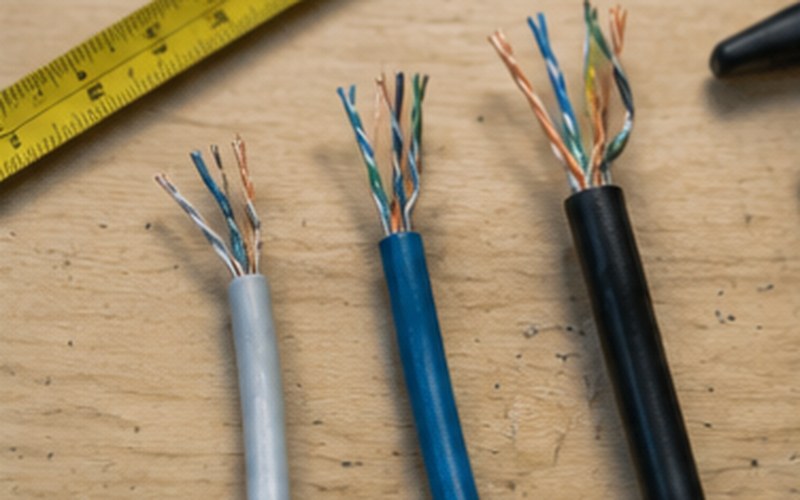
A practical comparison to help you understand the differences between the three most commonly used copper computer network cable categories.
A structured cabling system is built around copper cable that connects network outlets to the patch panel in the network cabinet. The cable category (Cat5e, Cat6, Cat6A) determines how much data it can transmit, at what maximum speed, and over what distance, without losing signal quality. Choosing the wrong cable can become the network speed's "weakest link," even if the rest of your equipment (router, switch) is capable of more. That's why it's worth choosing the cable category deliberately – not only based on your current needs, but also with the future in mind, since replacing cables inside walls or floors after installation is more expensive than making the right choice up front.
| Category | Max. speed | Max. distance at full speed | Typical use | Cost category |
|---|---|---|---|---|
| Cat5e | 1 Gbit/s (Gigabit Ethernet) | ~100 m | Home networks with basic load, renovations in older buildings with a limited budget | Lowest |
| Cat6 | 1 Gbit/s at 100 m; up to 10 Gbit/s over shorter runs (~37–55 m) | 100 m (1 Gbit/s) / up to ~55 m (10 Gbit/s) | Home and office networks with medium to high load, new builds | Medium |
| Cat6A | 10 Gbit/s | 100 m at full 10 Gbit/s speed | Server rooms, office backbones, high-load environments, future-proofing | Higher |
Values are indicative for typical installation conditions; actual performance also depends on cable quality, installation practices and nearby sources of interference.
Cat5e is the oldest of the three categories, but it still supports full 1 Gbit/s speed over the standard 100-meter distance, which is sufficient for most home users. The cable is thinner and more flexible than Cat6/Cat6A, which makes it easier to pull through narrow cable ducts or existing conduit. The drawback is that it leaves no headroom for future speed increases, and shielding against electromagnetic interference is generally weaker than in the newer categories.
Cat6 is currently the most commonly used category in new installations for both homes and offices. It provides a stable 1 Gbit/s over the full 100-meter distance and can reach up to 10 Gbit/s over shorter runs, which is useful, for example, for the connection between a switch and a server in the same room. Cat6 is a good compromise between performance, price and ease of installation for most residential and office projects.
Cat6A is a thicker, better-shielded cable that delivers full 10 Gbit/s speed over the entire 100-meter distance. It's recommended for high-load environments – server rooms, data centers, and company backbone connections between floors or buildings where data traffic is expected to grow in the future. The drawback is that the cable is stiffer and requires more space in cable ducts and the network cabinet, and it's more expensive both in materials and installation labor.
When choosing a cable category, it's worth evaluating three factors: your current and planned network load (how many devices, and how intensively they'll use the network), the length of your cable runs (category choice matters more for longer runs), and your budget relative to future-proofing. For homes with standard usage (streaming, remote work, smart home devices), Cat6 is generally sufficient. For offices and commercial sites with a server room or higher data volume, it's worth considering Cat6A for at least the critical connections, even if the rest of the network uses Cat6.
We assess your space, planned load and future needs to recommend the most suitable cable category for your specific project.
This article is part of our structured cabling systems service.
Structured Cabling Systems →Fill in the form – we'll get in touch to discuss your needs.
Request a free consultation – we'll get in touch to discuss your needs.
We'll contact you within 5 minutes of submitting the form