How to calculate the required rack unit (U) count, choose the depth, and plan space, ventilation and power for a network cabinet.
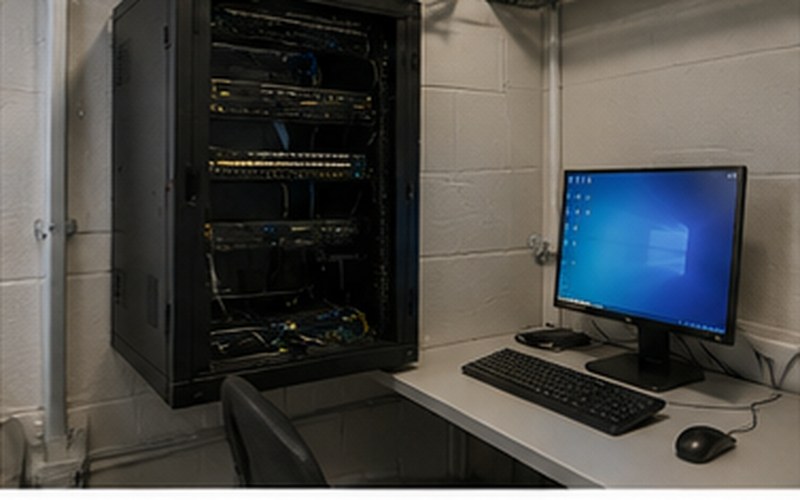
A network cabinet (rack) is where most of a structured cabling system's active and passive equipment is concentrated – patch panels, switches, routers, UPS units and sometimes servers too. If the cabinet is too small, there's nowhere to put equipment later, or it has to be installed without adequate ventilation space. If the cabinet is disproportionately large, it wastes space and needlessly drives up project cost. Getting the size right comes down to three variables: height (how many rack units are needed), depth (whether the equipment fits) and width (in standard 19-inch rack systems, this is usually fixed). Below is a practical way to work through these parameters.
Rack equipment height is measured in rack units (U), where 1U equals a standardized height of approximately 4.45 cm. Most switches, patch panels and other 19-inch rack devices are 1U or 2U tall. The total U count listed in a cabinet's specification (for example, 6U, 12U, 22U, 42U) shows how many such units can be stacked one above the other inside the mounting frame. When planning cabinet size, first add up the U height of all the equipment you're planning to install, then add space for cable management bars, and allow a modest buffer for future expansion.
The most practical approach is to list each planned component individually:
After adding up all the units, add roughly a 20-30% buffer for future expansion – new switches, additional patch panels, or equipment that isn't in the plan yet but may appear in a couple of years.
| Scenario | Typical components | Approximate U count | Recommended cabinet size |
|---|---|---|---|
| Home network | Patch panel, router/switch, small UPS, 1 cable management bar | ~4-6U | 6U-9U wall-mount cabinet |
| Small office | 2 patch panels, 2 switches, router/firewall, UPS, cable management bars | ~10-14U | 12U-15U wall-mount or short floor cabinet |
| Medium office / server corner | Multiple patch panels, switches, firewall, UPS, 1-2 servers, buffer | ~20-28U | 22U-27U floor cabinet |
These figures are indicative – the exact U count is determined by your specific equipment list and manufacturer specifications.
Cabinet width and U count aren't the only parameters that matter – depth is just as important. Many small-office switches and patch panels are relatively shallow, but servers, larger UPS units or enterprise-grade switches can be significantly deeper. If the cabinet is too shallow, the equipment door may not close, or the cable bend radius behind the device becomes too tight. Before buying, check the dimensions of the deepest planned component and choose a cabinet with at least 5-10 cm of clearance for cable bending behind the equipment.
For small installations up to roughly 12-15U, a wall-mount cabinet is often sufficient – it doesn't take up floor space and is easy to install in a utility room or closet. For larger equipment volumes, deeper devices, or cases where significant expansion is planned, a free-standing floor cabinet is the better choice – it provides more room, better access from all sides, and a more stable base for heavier equipment such as servers or larger UPS units.
Active network equipment generates heat, and inadequate ventilation shortens equipment lifespan and can cause overheating errors. When planning a cabinet, allow for free airflow – unobstructed ventilation openings at the front and back, sufficient clearance from the wall, and for larger installations, active ventilation (fans at the top of the cabinet) or even dedicated room cooling. The cabinet shouldn't be placed in direct sunlight or next to heat sources.
You need to plan where cables will enter the cabinet – from the floor, ceiling or side – and whether the cabinet has appropriate cable entry openings. Cable management bars and side cable channels help maintain order and make future maintenance easier. Power planning should include a PDU (power distribution unit) with enough outlets for all equipment, ideally with a buffer for additional devices, as well as UPS capacity that matches the total consumption of the connected equipment.
A common mistake is calculating only the U count of the equipment itself, forgetting about the space needed for tidy cable routing and future maintenance. Wherever a large number of cables exit a patch panel or switch, it's worth allowing for a cable management bar, which makes organizing cables easier and reduces the risk of accidentally damaging them when making changes. It's also worth leaving a small amount of free space at the top or bottom of the cabinet for an additional cable pass-through or fan installation, as well as enough clearance in front of and behind the cabinet to comfortably access equipment during maintenance without disturbing the entire installation.
In addition to U count and depth, it's worth assessing the load capacity of the cabinet and its stand/wall mounting, especially if heavier components are planned, such as larger UPS units or servers. For wall-mount cabinets, make sure the wall structure can support the full weight of the cabinet with all equipment installed; for floor cabinets, consider the strength of the flooring and subfloor, especially in upper floors or lighter-construction buildings. These factors are often overlooked in initial planning, but neglecting them can create practical problems after equipment installation.
Choosing the right network cabinet size starts with putting together a precise equipment list, calculating the U count with a buffer, checking depth against the planned equipment, and assessing ventilation, cable entry and power requirements. It's also worth accounting for cable management space and the cabinet's load capacity. These steps help avoid a situation where the cabinet needs replacing after just a few years, or where equipment has to be installed under unsuitable conditions.
We assess your equipment list and space to recommend the most suitable network cabinet size and placement.
This material is part of our structured cabling systems service.
Structured Cabling Systems →Fill in the form – we'll get in touch to discuss your needs.
Request a free consultation – we'll get in touch to discuss your needs.
We'll contact you within 5 minutes of submitting the form