A glossary explaining the main parts of an access control system and how they work together to form a functioning solution.
An access control system is an electronic solution that replaces or complements traditional mechanical locks, letting you control who can enter a given door and at what time. In the simplest case, it consists of a few components at a single door, while at larger sites – office buildings, warehouses, production facilities – the system can manage dozens of doors and users at once through central software. To understand how such a system works and what to choose for your site, it helps to know the role each component plays. Below is a summary of the main elements of an access control system.
Access cards or key fobs (tags) are the physical identifier a user presents to prove they have the right to enter. They usually work contactlessly – the user holds the card or tag near the reader, and the system reads it without physical contact. Each card has a unique identifier that the system links to a specific user and their access permissions. The advantage over a traditional key – a lost card can quickly be deactivated, without having to rekey the entire lock system from scratch, as would be necessary with physical keys.
The controller is the "brain" of the system at a given door – it receives information from the reader, checks whether the identifier (card, code) has the right to enter, and issues the corresponding command to the door lock mechanism to open or remain locked. There are two main types of controllers:
A standalone controller operates independently, without a connection to a central management system or other controllers. It's a simpler, cheaper solution suited to one or a few doors, for example the entrance to a private home or a small office door, where complex user management or centralized monitoring isn't needed.
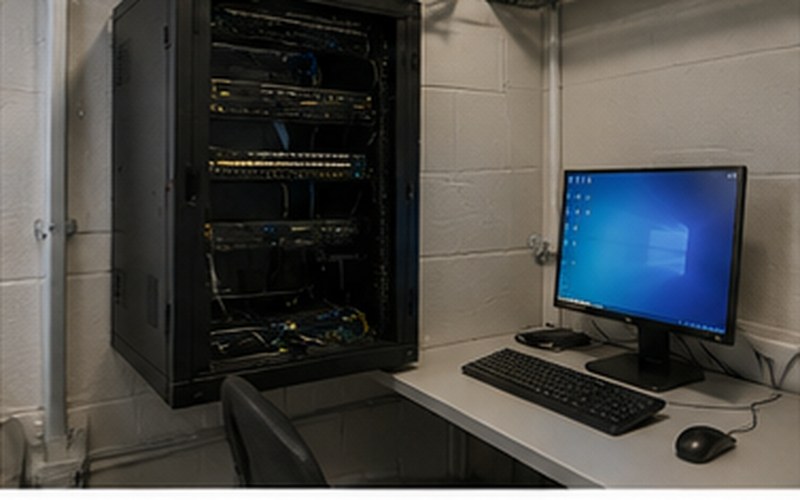
A networked controller is connected to central management software (often over a computer network), which lets you manage many doors, hundreds of users and detailed access permissions from a single point. It's better suited to larger sites where you need to see the access event history, quickly change permissions, or integrate the system with other solutions, such as video surveillance.
The reader is a device mounted at the door, on the outside (sometimes also inside), that reads the user's identifier – a card, tag, code or biometric data. The reader itself doesn't make decisions – it passes the information it reads to the controller, which checks permissions and issues the command to the lock. Readers vary by technology (different card standards) and form factor – they can be built into the wall, mounted on the door frame, or combined with another type of input device, such as a keypad.
An exit button, sometimes called a "request-to-exit" button, is a device on the inside of the door that lets a person leave the room by pressing the button, without needing to present a card or code. It's a practical solution for situations where entry control is needed but exit control is not (or where a quick evacuation route is needed in an emergency). Some systems also use motion sensors for the same purpose.
These are the two most common types of door-locking mechanisms used alongside an access control system:
An electromagnetic lock (maglock) consists of an electromagnet and a metal plate, mounted on the door frame and the door respectively. As long as power is applied, the magnet holds the door tightly shut with strong attraction force. This solution is simple and durable, but its installation must also account for fire safety and evacuation requirements, since a loss of power usually means the door unlocks (for safety reasons).
An electric strike replaces the traditional door latch receiver in the frame. When power is applied (or cut, depending on the configuration), the mechanism releases the latch, letting the door open, while the mechanical lock and key can still function as usual. This solution is often chosen when you want to retain the option of also using a traditional key as a backup.
At larger sites with multiple doors and users, an access control system usually also has management software – a computer program or web platform from which you can add and remove users, assign access permissions to specific doors and time periods, and view the access event log (who used a given entrance and when). This software is what turns the system into a truly manageable solution, rather than just a collection of door-locking mechanisms – it's especially valuable for offices where staff composition changes frequently or where access needs to be segmented between different departments.
Biometric solutions – most commonly fingerprint readers, less often facial or iris recognition – are an alternative to card and code systems, where the identifier is the person themselves rather than a physical object or a memorized code. The advantage – a biometric identifier can't be forgotten at home or lost the way a card can. However, biometric solutions are usually more expensive, can be more sensitive to external conditions (for example, dirty or damaged fingertips), and raise additional considerations around processing and storing biometric data that need to be evaluated before implementation.
A practical access control system usually combines several of these components: the user holds a card near the reader, the reader sends the data to the controller, the controller checks permissions (locally in a standalone system, or via management software in a networked system) and, if access is granted, issues a command to the electromagnetic lock or electric strike to open the door. The exit button lets a person leave without any additional check. When choosing components for your site, it's worth starting with the question – how many doors and users does the system need to serve now and in the future – since that determines whether a simple standalone solution or a fully networked system with management software is the better fit.
We assess your site and recommend the most suitable access control solution – from a simple standalone controller to a fully networked system.
Fill in the form – we'll get in touch to discuss your needs.
Request a free consultation – we'll get in touch to discuss your needs.
We'll contact you within 5 minutes of submitting the form